Building a house from the ground up is exciting, but it can quickly become stressful when timelines slip and communication breaks down between you, your builder, and dozens of subcontractors. Without a clear way to track progress, even small delays in permitting or material delivery can snowball into months of lost time. The good news is that modern project tracking tools give homeowners real visibility into every phase of construction, so surprises are rare and decisions can be made quickly. Understanding how these systems work will help you choose a builder who uses them well and keep your project moving toward move-in day.
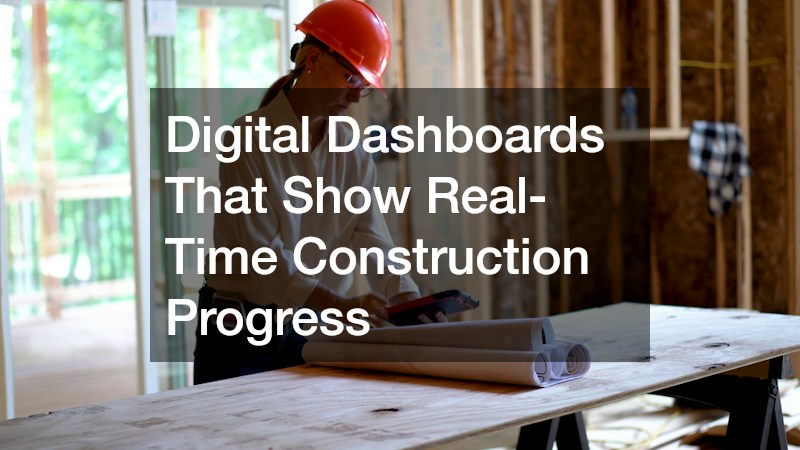
Digital Dashboards That Show Real-Time Construction Progress
A digital dashboard is the central hub where you can see exactly where your build stands at any given moment. Instead of waiting for a weekly phone call, you log into a portal and view photos, updated timelines, and completed milestones as they happen. Most platforms update daily, so a foundation pour on Monday or a framing inspection on Wednesday shows up in your feed within hours rather than at the next scheduled check-in.
This kind of transparency is especially valuable for people building custom homes, since every layout and finish choice can affect how tasks are sequenced and how long each phase takes. Swapping a standard window for a custom-sized unit, for example, might push back framing by a few days while the order is fulfilled, and a good dashboard will show that ripple effect on the broader timeline instead of leaving you to guess. Many systems also break the schedule into phases — site prep, framing, mechanical rough-in, drywall, finishes — with percentage-complete indicators for each one. Some let you compare the original projected schedule against the live one side by side, so you can see at a glance whether you’re three days ahead or a week behind.
Good dashboards also flag delays early, giving you time to make decisions before a small hiccup turns into a scheduling crisis. A weather delay on siding work, a backordered fixture, or a subcontractor rescheduling can all trigger an automatic alert, often with a note on how the builder plans to recover the lost time.
- Live percentage-complete indicators for each construction phase, from foundation to final punch list
- Daily or weekly photo uploads from the job site, timestamped and organized by area (framing, electrical, plumbing, etc.)
- Color-coded status flags for on-track, at-risk, or delayed tasks, so problems surface before they cause slippage
- Automatic alerts when a task’s flag changes, sent by email or app notification
- Mobile access so you can check progress from anywhere, including job sites with limited signal via offline caching
- Historical logs showing how past milestones were met, including actual vs. projected completion dates
- Trend data pulled from those logs to flag which trades or phases tend to run behind schedule
Shared Calendars That Coordinate Every Subcontractor Visit
Custom construction involves a rotating cast of electricians, plumbers, framers, and inspectors, and keeping their schedules aligned is one of the biggest challenges in the entire process. A shared calendar system assigns specific windows of time to each trade and automatically adjusts downstream tasks if one appointment runs long. This prevents the common problem of one delayed inspection pushing back everyone who was scheduled to work that week. Homeowners benefit because they can see upcoming visits in advance and plan around noisy or disruptive work without guessing.
- Automatic rescheduling when a task is delayed
- Reminders sent to subcontractors and homeowners alike
- Visibility into which trade is on-site each day
- Buffer time built in for weather or inspection delays
Task Management Boards That Break Down the Build Into Steps
Large projects feel overwhelming until they are broken into smaller, trackable pieces, which is exactly what a task management board does. Each stage of construction, from foundation pouring to final trim work, gets its own set of checklist items that must be completed before the next phase begins. This structure keeps the project organized and makes it easy for anyone involved to see what is finished, what is in progress, and what is coming next. It also creates accountability, since missed tasks are visible immediately rather than discovered weeks later.
- Sequential checklists tied to specific construction milestones
- Assigned owners for each task, whether builder, sub, or supplier
- Dependency tracking so one delayed task flags related ones
- Notes fields for special instructions or change requests
Budget Tracking Tools That Flag Cost Overruns Early
Staying on schedule and staying on budget are closely linked, since running out of money for materials or labor almost always causes delays. A budget tracking tool compares actual spending against the original estimate in real time, so any overage is caught within days rather than at the final walkthrough. This is particularly useful when unexpected site conditions or supply chain issues push material costs higher than planned. Catching these variances early gives homeowners the chance to adjust choices elsewhere in the project instead of facing a financial surprise near the end.
- Line-item comparisons of estimated versus actual costs
- Alerts triggered when spending crosses a set threshold
- Change order tracking linked directly to the budget
- Reports that separate labor, materials, and permit costs
Communication Logs That Keep Decisions and Approvals Organized
Miscommunication is one of the leading causes of construction delays, especially when verbal agreements are forgotten or emails get buried. A centralized communication log records every decision, approval, and change request in one searchable place, so nobody has to rely on memory. This is especially important during the design phase, where selections for fixtures, finishes, and layout adjustments need clear documentation to avoid costly mistakes later. Having a written record also protects both the homeowner and builder if a dispute arises about what was agreed upon.
- Time-stamped records of every approved change
- Searchable archives of emails, texts, and messages
- Digital signatures for formal approvals
- Shared access for architects, builders, and homeowners
Automated Alerts That Warn of Permit and Inspection Delays
Permits and inspections are notorious for slowing down construction timelines, often because paperwork sits untouched or an inspection date gets missed. Automated alert systems track every required permit and inspection deadline, sending reminders to the responsible party well before a due date arrives. This proactive approach reduces the chances of a project stalling simply because a form was submitted late or an inspector was never scheduled. Homeowners gain peace of mind knowing that a system, not just memory, is watching these critical checkpoints.
- Deadline reminders sent days or weeks in advance
- Status tracking for pending versus approved permits
- Escalation notices if a deadline is at risk of being missed
- Integration with local permitting office requirements where available
Choosing a builder who relies on strong project tracking systems can make the difference between a smooth build and a frustrating one full of delays and miscommunication. As you interview potential builders, ask specifically how they track progress, manage budgets, and document decisions so you know what to expect throughout the process. The right combination of tools keeps everyone accountable and gives you the visibility needed to feel confident at every stage. Taking the time to understand these systems now will save you stress later and help ensure your new home is ready when promised.